
How to Plan an Office Snack Vending Machine for Your Team
Planning an office snack vending machine is a workplace retail project, not just an equipment purchase. The right plan starts with what employees want, the packages the machine can dispense, where people will use it and who will keep it stocked.
This guide walks office managers, facility teams and vending operators through a practical deployment process. It also explains when to evaluate the WEIMI WM700 spiral-channel machine or a different shopping format.
Start with a short site brief: record the number of people served, shift patterns, existing food options, preferred products, available space, power and network access, payment preference and the person responsible for refilling.
1. Understand Employee Demand Before Choosing Products
Do a short survey or review an existing break-room purchase pattern before you set the assortment. Ask about preferred snack types, drink sizes, price ranges, dietary or allergen information needs and convenient purchase times. Avoid assuming that one office's preferences will represent another workforce.
Use the results to build a starter list rather than buying a large quantity of every idea. Separate likely everyday items from occasional choices, and select products that have clear storage instructions and stable packaging for the dispensing method you plan to use.
If you are planning a broader self-service assortment, our snack and drink combination vending machine buying guide covers product dimensions, channel fit, cooling and pre-order checks.
2. Match the Machine to the Product Packages
List each proposed product with its package width, depth, height and weight. Include bottle diameter and cap shape, bag thickness and seal, and whether the item is fragile, soft or easy to catch in a channel. Ask the supplier to recommend a layout and test representative samples before the final configuration is approved.
| Product type | Checks for an office assortment |
|---|---|
| Bagged crisps and snacks | Bag width, depth, seal and how the pack sits in a spiral channel. Test for snagging and complete delivery. |
| Biscuits, candy and bars | Package dimensions, firmness and channel spacing. Check whether small or light products remain stable. |
| Bottled water and drinks | Bottle diameter, height, weight, orientation and drop into the pickup area. |
| Canned beverages | Can size, weight and loading orientation. Test delivery with the actual can format. |
Do not treat a channel count as the number of items or SKUs the machine will hold. Product dimensions and the amount of stock assigned to each product determine usable inventory.
3. Choose a Practical Location in the Office
Place the machine where employees can reach it during normal breaks without blocking corridors or emergency routes. Review visibility, foot traffic, noise, lighting, cleaning access and the distance to existing seating or break areas. Ask the building manager to approve the location before delivery.
Measure the machine footprint and the delivery route, including entrances, doorways, lifts and turns. Leave enough room to open service panels, restock products and clean around the cabinet. Confirm floor loading and leveling needs with the supplier and facilities team.
Check the electrical outlet, voltage and circuit requirements against the selected configuration. If the machine depends on a network connection for management or payments, verify signal availability or a supported wired connection at the final location.
4. Select a Shopping and Payment Setup
The WM700 uses a touchscreen and configured product channels for individual selection. Its published reference includes a 22-inch screen, approximately six shelf levels with seven spiral channels per level and adjustable 4–20°C cooling. Use the WEIMI WM700 refrigerated snack and drink vending machine as one configuration to assess for compatible packaged snacks, bottles and cans.
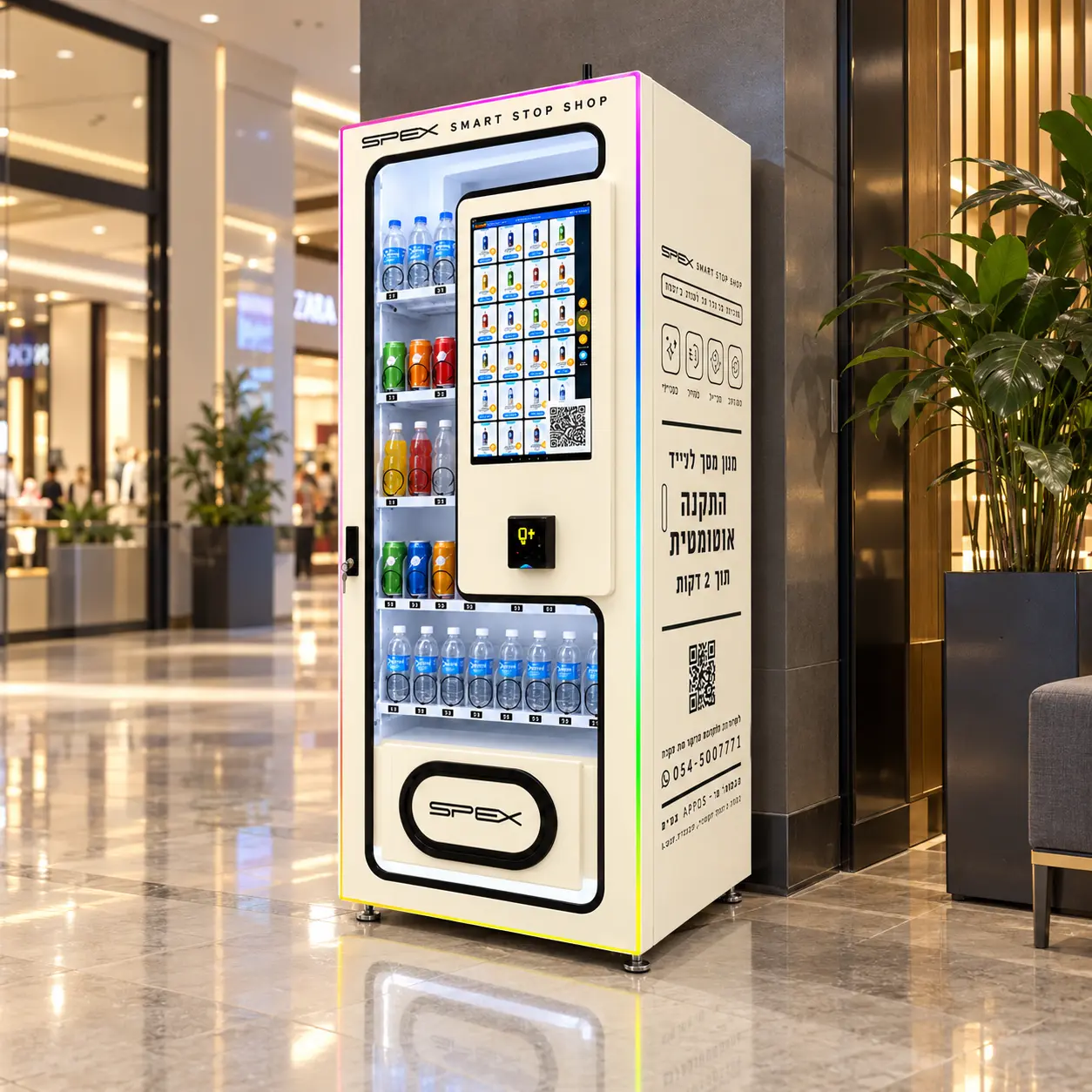
WM700 reference configuration. Confirm product fit, payment setup and included components for the project.
Payment hardware is not included in the WM700 reference configuration. Specify whether employees will use cards, contactless payments, cash or a local wallet, then confirm the compatible reader, provider, merchant account and fees for your location. Do not assume a machine includes or supports a payment option unless it is listed in the final proposal.
If the office prefers open-door shelf selection with multiple items per purchase, ask about a suitable smart-fridge configuration. The WEIMI WM22ZLD AI visual recognition smart fridge is a different shopping flow; recognition should be tested with actual packages and settlement requirements.
5. Plan Cooling, Product Information and Workplace Rules
Check the storage instructions for every drink or food product and match them to the confirmed equipment configuration. The WM700 reference lists adjustable 4–20°C cooling, but the range does not establish suitability for every refrigerated item. If you intend to stock dairy, prepared food or other temperature-sensitive products, confirm the required conditions and relevant local rules separately.
Keep product names, prices, allergen information and any required notices clear to employees. Confirm who approves the assortment and how products that are expired, damaged or recalled will be removed. Align the machine's cleaning and stocking routines with your site's food-handling policies.
6. Decide Who Owns Restocking and Service
Assign one person or supplier to review stock, refill products and record issues. Set a refill schedule that can adapt to shift patterns and actual sales. During an initial trial, check the machine more often, then adjust visit frequency based on item-level demand and remaining stock.
- Agree where products are purchased and where back-up stock is stored.
- Define refill responsibilities, visit times and access procedures.
- Set a routine for cleaning, expired items, refunds and customer questions.
- Decide who contacts the supplier if a channel, payment reader or network connection fails.
- Record sales and stockouts so the assortment can be reviewed with evidence.
Remote inventory information can support refill planning when included in the configuration, but it does not replace physical checks of stock condition, expiry dates and the cabinet itself.
7. Build a Simple Office Trial Plan
A short pilot can reveal whether the location and assortment work before you expand the project. Agree the trial length, products, refill owner and review date in advance. Collect employee feedback and record sales, stockouts, refunds, waste, payment problems and maintenance visits.
| Review area | What to record during the trial |
|---|---|
| Demand | Units sold by product, time patterns, stockouts and products rarely selected. |
| Product fit | Successful delivery, jams, damaged packages and adjustments to channel allocation. |
| Operations | Refill time, travel or labor, cleaning, expiry checks and service calls. |
| Payment and access | Payment completion, failed transactions, support requests and employee feedback. |
Use the evidence to update the assortment, product allocation and refill schedule. For budgeting questions about shipping, payment equipment and recurring costs, read our snack and drink combo vending machine cost guide.
Office Snack Vending Machine Planning Checklist
- Employee demand, break times and current food options are documented.
- Proposed products, package sizes, weights and storage instructions are listed.
- Representative products have been tested in the proposed dispensing layout.
- The placement, delivery route, floor, power, service clearance and network are confirmed.
- Payment hardware and provider compatibility are confirmed for the location.
- Product information, cleaning, expiry checks and workplace responsibilities are assigned.
- A refill owner, service contact and trial review plan are agreed.
- The supplier proposal lists the final configuration, included components and exclusions.
Frequently Asked Questions
What should an office put in a snack vending machine?
Start with employee preferences and products that fit the machine's tested layout. A balanced starter range might include compatible bagged snacks, biscuits, bars, bottled water and cans, subject to workplace rules and the products' storage requirements.
How many products can an office snack machine hold?
It depends on package dimensions, channel layout and stock allocated to each product. Ask for a loading plan based on your actual assortment rather than relying on the number of channels alone.
Does the WM700 include a card reader?
Payment hardware is not included in the WM700 reference configuration. Confirm the reader, provider, payment methods and destination compatibility separately.
How often should an office vending machine be restocked?
Set an initial schedule based on the number of people served and available storage, then adjust it using sales, stockout and expiry records. Demand and refill access vary by workplace.
Plan a Snack and Drink Setup for Your Workplace
Request a WEIMI configuration review with your office location, number of users, product list, package dimensions, storage requirements, site photographs, quantity and payment preferences. Include power and network details so the proposed setup can be reviewed against the actual workplace.
Related Article
